
Still Entering Invoices Manually?
There’s a Fix. And it costs less than a bookkeeper — paying for itself in under 6 months.
Reading Time: 5 min
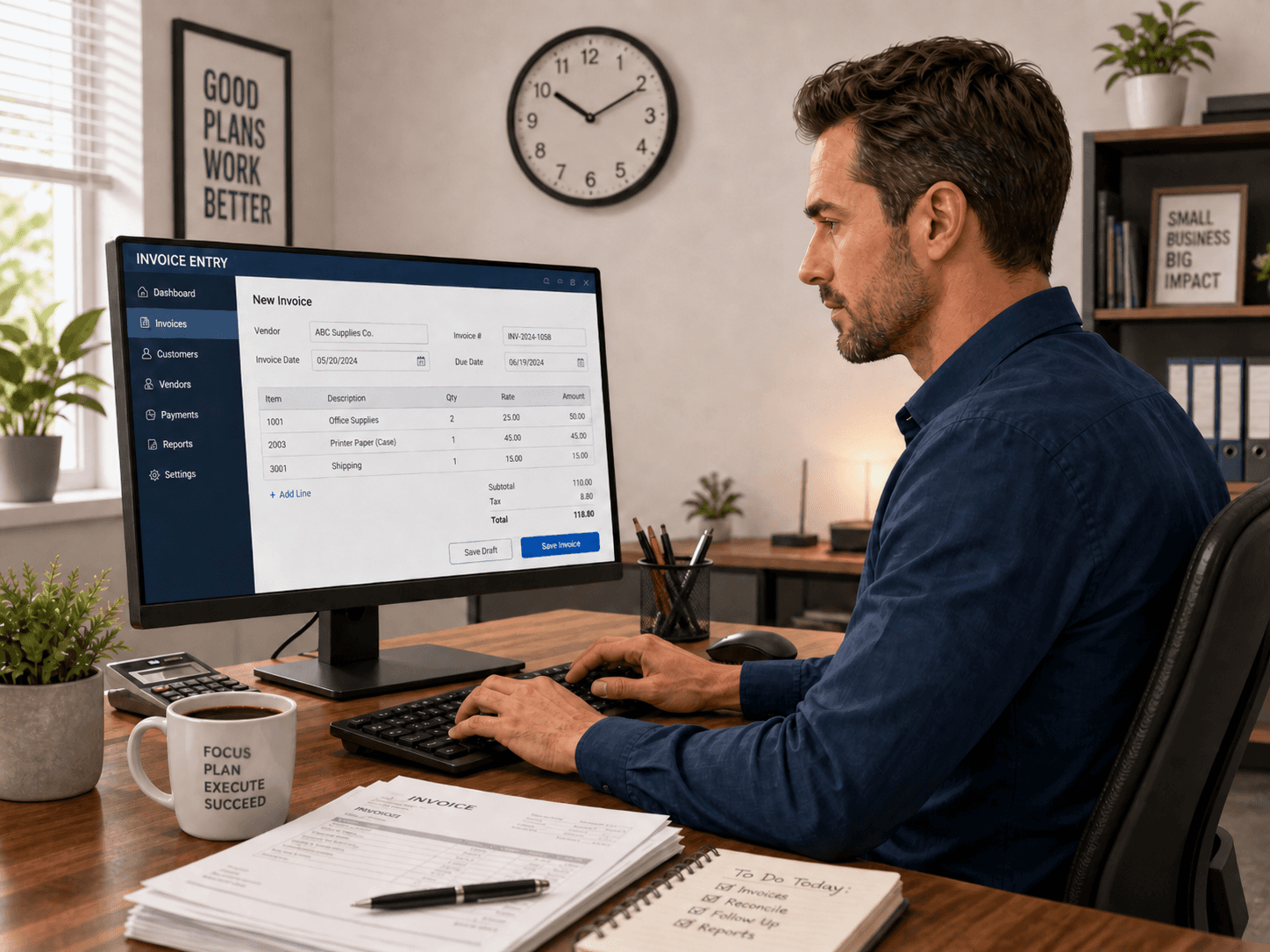
Every week, in small businesses around the world, someone sits down and opens their email. There’s a PDF from a supplier. They download it. They open QuickBooks, Xero, or NetSuite. They squint at the invoice number. They type it in. They find the vendor. They enter the subtotal. They calculate the tax. They check the total. They click save.
Then they do it again for the next one. And the next.
For most businesses processing invoices from 10 or more suppliers, this takes 3 to 5 hours every single week. That’s over 200 hours a year spent on a task that produces nothing, a task that, with the right setup, a computer can do in 4 seconds.
This blog is about why that’s still happening, why the obvious solutions keep failing, and how modern automation finally solves it, using tools you already pay for.
Why Manual Invoice Entry Is Still the Default
If this problem has an obvious solution, why is it still so common?
The short answer: the alternatives have always had a catch.
Hiring a bookkeeper
Works, but costs $800 to $1,200 a month for part-time help, every month, forever. And a bookkeeper still has to enter the data manually. You’ve added headcount to solve a process problem. When they leave, the problem comes back.
Native tools in accounting platforms
QuickBooks has a receipt capture feature. Xero has Hubdoc. But anyone who has tried to process invoices from 15 different suppliers with inconsistent PDF formats, varying tax structures, and vendor names that don’t quite match their accounting records knows what happens. The tools extract wrong values. Tax calculations shift when you open the bill. Vendors don’t match. You end up spending almost as much time reviewing and fixing as you did entering manually. The tool adds complexity without removing the problem.
Hiring a consultant to build an automation
Sounds promising, until it breaks three weeks later because a supplier changed their PDF layout, or because the vendor name on the invoice says “Amer Sports Canada Inc” and your QuickBooks record says “Amer Sports.” Simple mismatches that a human handles in a second turn into silent failures that nobody notices until the books are wrong.
This is the gap that modern AI-powered invoice automation is designed to close.
What Actually Works, and Why
The difference between a fragile invoice automation and one that runs reliably for years comes down to three things: how it reads the document, how it resolves discrepancies, and how it handles tax.
Reading the document
PDF invoices are not structured data. Every supplier formats them differently. Subtotals are in different positions. Some use tables, some use blocks of text. Some have taxes itemized by line, some show one lump sum at the bottom. Date formats vary. Invoice number formats vary.
Native accounting tools use template-based extraction; they look for data in specific positions on the page. Change the template and they fail.
AI-based extraction works the way a human does: it reads the document and understands it contextually. It doesn’t care whether the total is in the top-right corner or the bottom-left. It finds the data because it understands what it’s looking at.
Resolving vendor mismatches
The invoice says “Smith Distribution Ltd.” Your accounting record says “Smith Distribution.” These are the same company. A human knows that. Basic automation does not.
Intelligent vendor matching uses fuzzy logic and contextual reasoning to bridge those gaps. It learns your vendors. It handles abbreviations, punctuation differences, and legal entity variations. When it can’t resolve a match with confidence, it flags the invoice for human review rather than failing silently or posting something wrong.
Getting tax right
For businesses operating under complex tax rules: Canadian GST/HST, multi-rate VAT, US sales tax by jurisdiction, freight vs. product rate differences, this is where the most costly errors happen.
A properly built automation separates tax categories correctly. Freight at one rate. Products at another. Exempt items excluded. It posts bills using the accounting platform’s inclusive-of-tax method, which prevents the platform from recalculating values when the bill is opened: the source of a particularly frustrating class of QuickBooks errors that most people never fully diagnose.
How It Works End to End
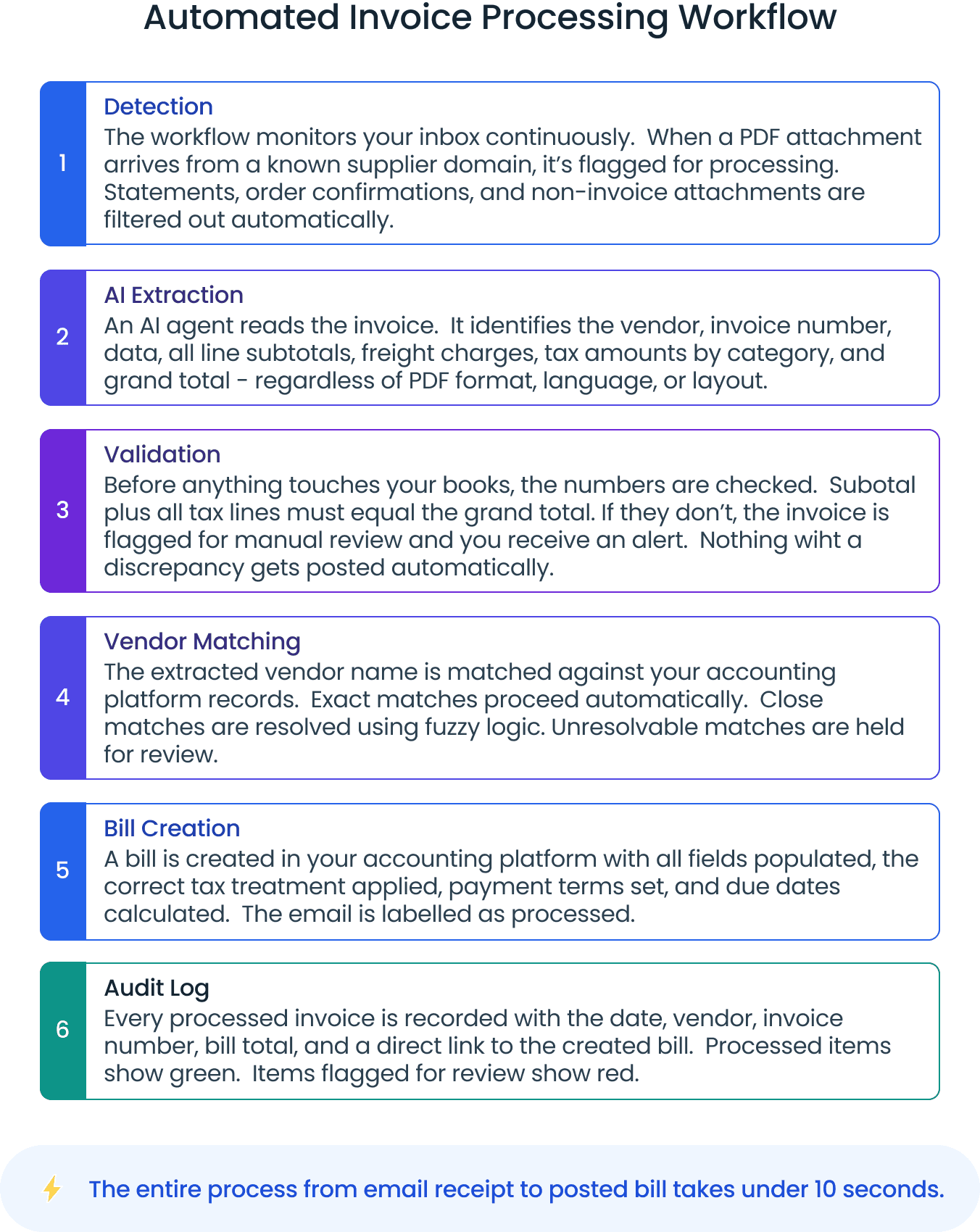
The automation runs on workflow platforms you likely already use. Here’s what happens when an invoice arrives:
Works With Your Existing Stack
This approach is deliberately platform-agnostic. Whatever you’re using today, it connects.
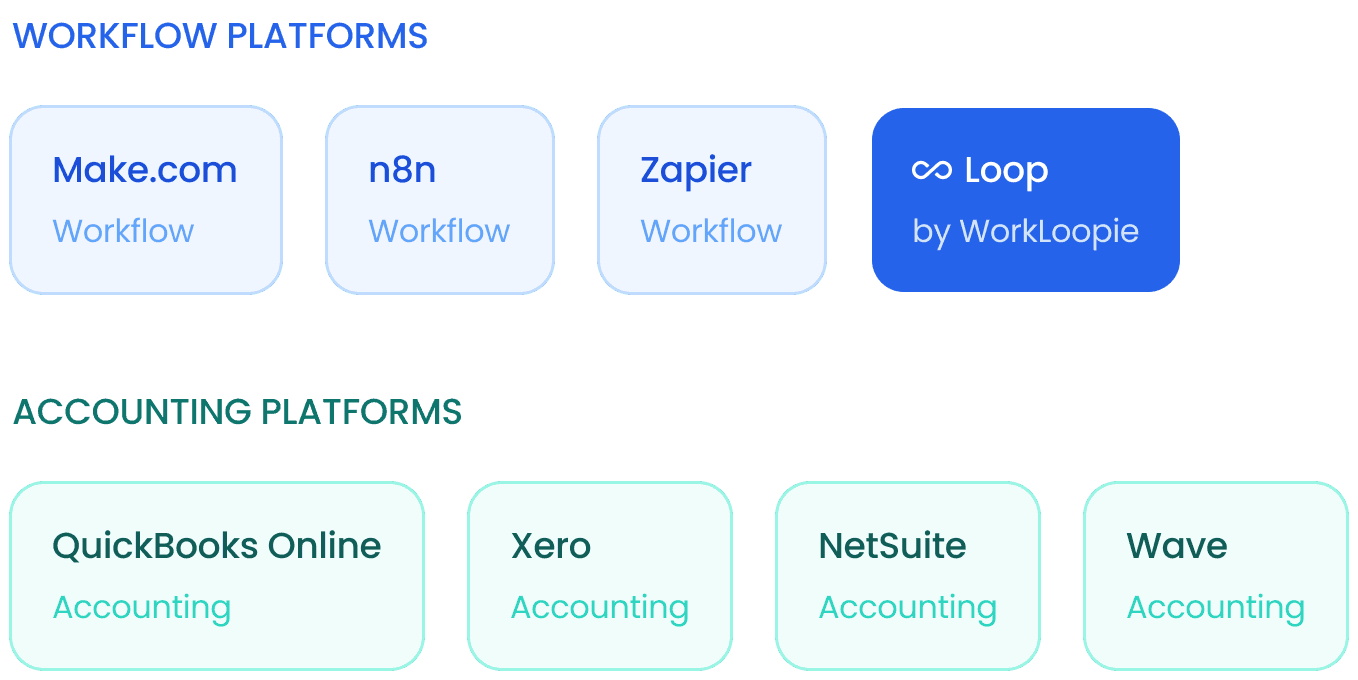
If you already have a Make.com or n8n Pro subscription, no upgrade is required. The build operates within your existing plan limits. There is no supplier-side change required — suppliers continue sending invoices exactly as they do today. The automation adapts to them, not the other way around.
The Economics: Cheaper Than Hiring, Permanent Results
Let’s run the numbers honestly.
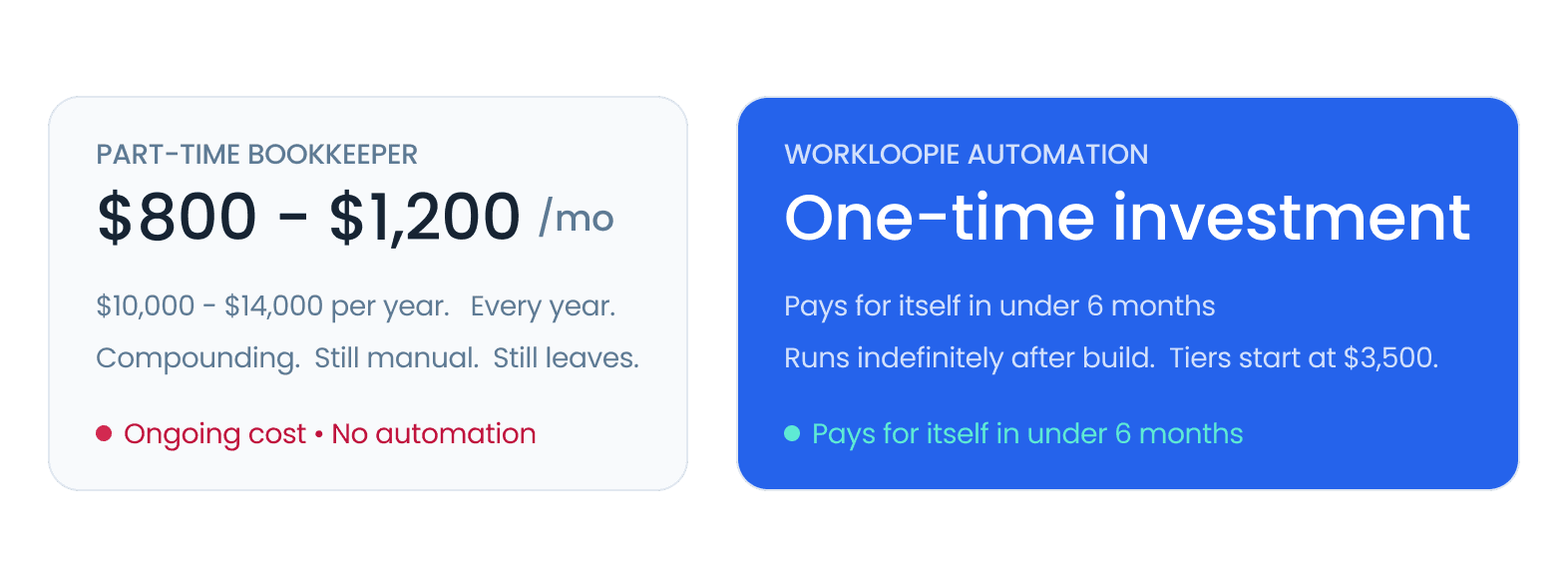
At 4 hours per week of manual invoice entry, you’re also spending your own time or your team’s. At a conservative $75 an hour for an owner’s time, that’s $1,300 a month in opportunity cost. Time that could go to customers, to sales, to operations, to anything that actually moves the business forward.
A fully built invoice automation is a one-time investment. After that, it runs. No recurring cost. No sick days. No handover when someone leaves.

What Businesses Are Getting Back
Trail Sports, a Canadian outdoor retailer processing invoices from 20+ suppliers under Canadian GST rules, came to us after two previous automation attempts had failed. Three weeks after deployment: zero manual invoice entry, 100% accuracy on tax calculation across freight, products, and exempt categories, and 208 hours returned to the owner annually.
“When I looked at the results, I thought this was doing more than I expected in terms of being able to separate the freight, the tax, and the product subtotal correctly. I was quite impressed. This is honestly really stress free.”
Patrick Gallagher, Owner · Trail Sports
Read the full customer story →.
Who This Is Built For
This automation is the right fit if:
Your business processes invoices from 10 or more suppliers regularly
You’re spending 3 or more hours per week on manual data entry
You use QuickBooks, Xero, NetSuite, or Wave as your accounting platform
You’ve tried native tools or a previous automation that didn’t hold up
You’re considering hiring to solve what is fundamentally a process problem
It’s worth noting what this isn’t. If you have one or two suppliers and rarely receive invoices, the manual process is probably fine. Automation earns its keep at volume, complexity, and frequency.
The Bottom Line
Manual invoice entry is one of the clearest examples of a task that exists only because automating it used to be too hard or too expensive. That’s no longer true.
The tools exist. The AI exists. The workflow platforms exist. What’s changed is that someone has to wire them together in a way that actually holds up under real-world conditions: inconsistent PDFs, vendor mismatches, complex tax logic, accounting platform quirks.
That’s the build. It takes two to six weeks. It runs indefinitely after that. And it costs less, in the first year alone, than what most businesses pay a bookkeeper to do the same work.
If your team is still entering invoices manually, it’s not because automation doesn’t work for your situation. It’s because the right build hasn’t been done yet.